
One solution is to create a Measure Dimension / Account-Based Dimension.
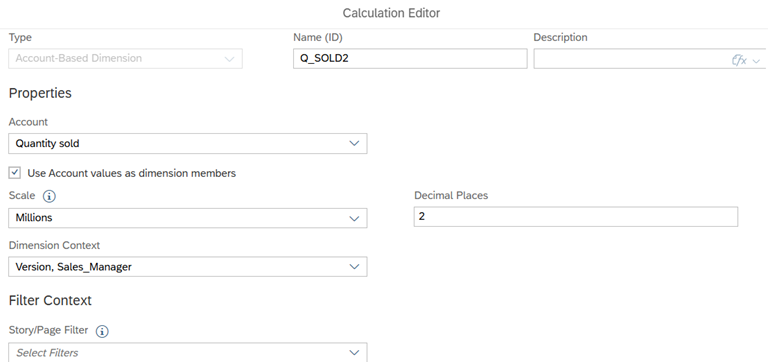
In this example I want to add members of Quantity Sold to a dropdown list.
Create an Account-Based Dimension – I named it Q_SOLD2
Script
Now we can add the measure dimension members to a dropdown list in the usual way.
When typing the script at the .getMembers( part – hit CTRL+Space and you find the measure dimension,
the ID will be system generated, hence the long string of numbers.
var members = Table_1.getDataSource().getMembers("35386901-6934-4808-8445-297486663242");
for(var i=0;i<members.length;i++)
{Dropdown_1.addItem(members[i].id,members[i].description);}Code language: JavaScript (javascript)