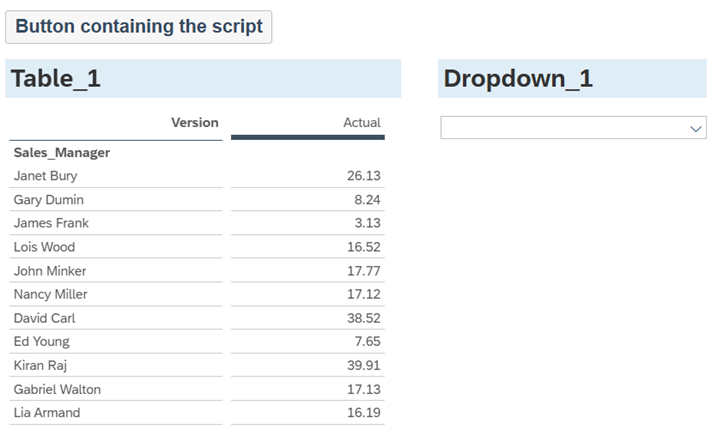
In this example we populate a dropdown list with all members of the ‘Sales Manager’ dimension.
The script is placed in the button so you can test it on demand.
/* 1. Declare a variable ‘members’
     2. Get the data source from Table_1
     3. Get all the members of the Sales Manager dimension and add them to the ‘members’ variable */
var members = Table_1.getDataSource().getMembers("Sales_Manager");
/* 1. Create a loop that iterates through each dimension member stored in the ‘members’ variable
    2. At each run of the loop add the dimension member id and description to the dropdown list */
for (var i=0;i<members.length;i++)
{Dropdown_1.addItem(members[i].id,members[i].description);}
Code language: JavaScript (javascript)
Why do we add the ID & Description to the dropdown?
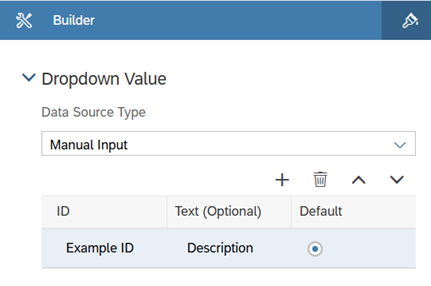
If you open the properties of a dropdown in the builder panel on the right of the screen, you will see it contains 2 fields: ID & Text
By default when filtering with a dropdown it is the ID value that is used for the filter.
If an ID and Text (description) value are present in the dropdown, end users will only see the Text value.
Often the dimension member ID values are meaningless to an end user as they are unique ID’s, whereas the Text is the user friendly description