
In the previous examples the code to retrieve dimension members will return all members including those that do not have any measure data booked against them.
This has the potential to retrieve many more values from the source system than expected – with the inherent risk to performance.
Table Showing only booked data
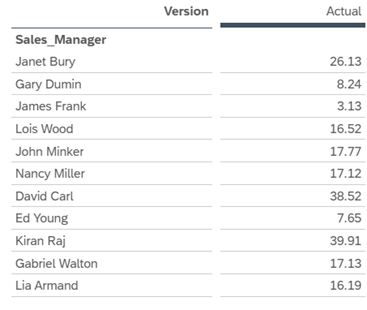
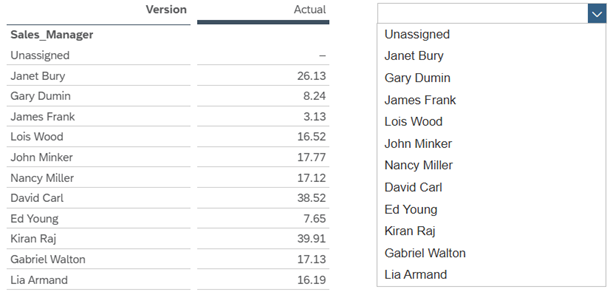
In the Best Run Juice sample dataset, if we edit the table to show unbooked values, this is what the code:
Table_1.getDataSource().getMembers(“Sales_Manager”); will retrieve.
The dropdown now includes ‘Unassigned’ which is the unbooked value
To force retrieval of only dimension members with data booked against them, use the code below
var members =Table_1.getDataSource().getMembers("Sales_Manager",{accessMode:MemberAccessMode.BookedValues});
for (var i=0;i<members.length;i++)
{Dropdown_1.addItem(members[i].id,members[i].description);}
Code language: JavaScript (javascript)