
There are many times when it’s useful to be able to see a full list of dimension members (with their ID and Descriptions)
You could create a table, add the dimension and set the display properties to ID & Description, or alternatively use a script to write the info to the browser console.
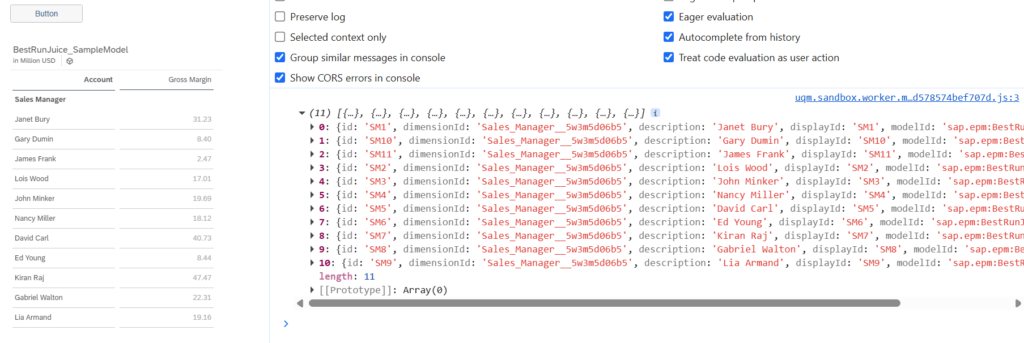
The script is placed in the ‘OnClick’ event for the button. When you open the SAC story in view mode – in the chrome browser: hit F12 to open the browser console > click the button and you will see the output below. You now have a full list of Sales Manager dimension members.
console.log(Table_1.getDataSource().getMembers("Sales_Manager__5w3m5d06b5"));
Code language: JavaScript (javascript)