
When you add members from a hierarchy dimension to a dropdown it shows all values from all levels in the hierarchy – essentially a flat structure, not user friendly.
Using Best Run Juice – Product as an example, the end result we’re looking to achieve is as per below;
Just the top level of the hierarchy shown in the dropdown.
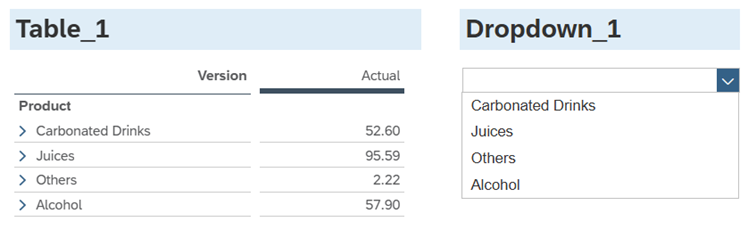
Table_1.getDataSource().setHierarchyLevel("Product",1);  //set Table_1 hierarchy to level 1 (Product)
var values = Table_1.getDataSource().getResultSet(); //get the values returned in Table_1
for(var i=0;i<values.length;i++){
                //Get the result set and restrict it to values for the Product dimension, add the values to the dropdown list
 	var id = values[i]["Product"].id;
 	var description =  values[i]["Product"].description;
 	Dropdown_1.addItem(id,description);
               }
//The dropdown is now populated with Product level 1 so we can set the table back to Product hierarchy level 2
Table_1.getDataSource().setHierarchyLevel("Product",2);

Code language: JavaScript (javascript)